
Keep Preferences in Sync Across Devices: Introducing Persistent Audio & Subtitle Settings
In today’s multi-device world, viewers expect a smooth, consistent experience across every screen. That’s why we’ve introduced Persistent Audio & Subtitle Preferences—a powerful new feature that ensures your preferred language, audio setup, and subtitle settings follow you across all supported devices, eliminating friction and enhancing accessibility.
Whether you’re watching on a Smart TV, laptop, mobile phone, or streaming box, your personalised settings are always ready—no need to reconfigure every time you switch devices.
The Problem We Solved
We’ve all been there: you set up your ideal viewing preferences on one device, only to find yourself starting from scratch when you switch to another. This disconnect between devices creates unnecessary friction, especially for:
- Multilingual households juggling different audio tracks
- Viewers with hearing impairments who rely on subtitles
- Audiophiles who invest in premium sound systems
- International audiences accessing content in non-native languages
Persistent Preferences solve this problem by saving your preferences centrally and applying them consistently across all your devices.
How Does the Persistent Preferences Feature Work?
This enhancement stores audio and subtitle preferences in the user profile using our backend API. Once a viewer sets their preferences—such as a preferred subtitle language or audio configuration—they’re saved and automatically synced across all supported devices whenever the user logs in.
✅ Preferences saved on one device appear on all others
✅ Applies instantly with no manual setup required
✅ Even works during API outages—settings are retained locally for that session
Your audience gets a consistent, personalised experience—no matter where they press play.
Why Persistent Preferences Matter for Your OTT Service
- Personalisation That Scales: Viewers feel instantly at home on every device
- Seamless Device Switching: Start watching on TV, continue on mobile—preferences stay put
- Accessibility-First: Subtitle preferences are always honored for users who depend on them
- Profile-Based Settings: Each user profile keeps its own persistent configuration
How to Enable Persistent Preferences
The best part? No configuration is required. This feature is automatically enabled for all customers using the latest app versions.
For custom web app customers, persistent preferences are applied by default in hipster-player v12.8.9 or above. If needed, the feature can be disabled by passing disablePlaybackSettings: false to loadWithPreflight.
Available On:
- Smart TVs (LG, Samsung, Vizio) – v4.9.0 and later
- Web Browsers – v15.32.0 and later
- iOS (coming soon)
- Android (coming soon)
- Android TV (coming soon)
- Apple TV / tvOS (coming soon)
Built on a Strong Foundation of Audio & Subtitle Excellence
This feature is the latest enhancement in Magine Pro’s comprehensive suite of audio and subtitle capabilities:
Advanced Audio Support:
- Dolby AC-3 (6-channel) for cinema-quality sound
- Flexible audio routing via HDMI, ARC, or receivers
- Multiple stereo and 5.1 surround sound tracks in different languages
Robust Subtitle Integration:
- Multiple subtitle tracks with language selection
- UTF-8 encoding for accurate character display
- Standard SRT formatting for clean presentation
- Frame-perfect subtitle-to-audio synchronization
Deliver Consistency, Eliminate Friction
Persistent Audio & Subtitle Preferences make your streaming service more inclusive and user-friendly. Whether it’s for accessibility, localisation, or seamless multi-device viewing, this feature ensures every viewer gets the experience they expect—every time.
Want to learn more about how to enhance your platform’s UX? Contact us or follow us on LinkedIn for product updates, feature launches, and streaming insights. You can also download our UX/UI guide to explore how the Magine Pro platform helps deliver an exceptional streaming experience.
How to Safeguard Your OTT Platform from Piracy, Credential Theft, and Cyberattacks
OTT security is a never-ending game of cat and mouse. Just when you think you’ve locked things down, new threats emerge—piracy gets more sophisticated, credential theft grows, and platform vulnerabilities can be exploited in unexpected ways.
So, how do you stay ahead of the threats?
 We sat down with Marcus Linden, our Head of Operations at Magine Pro, to tackle some of the biggest security questions OTT operators ask us. From incident response times to scaling security as your audience grows, Marcus shares expert insights on how we help keep our customers’ platforms secure.
But security is never one-and-done. It requires constant adaptation, which is why we put together our latest e-guide, “Safeguarding Your Content & Platform,” to help operators understand today’s biggest security risks and how to combat them effectively.
Here’s a sneak peek at the Q&A—but if you want the full breakdown and expert strategies, download the guide now.
How quickly can Magine Pro respond to a security incident?
Speed matters when it comes to security. A breach or service disruption can erode subscriber trust and impact revenue in real-time. Marcus explains how Magine Pro’s security response is designed for immediate action, with automated alerts and a 24/7 on-call team that can be reached through Slack, email, or WhatsApp.
He noted, “We act fast—typically within minutes. You’ll never be left in the dark; we keep you updated in real-time until the issue is resolved.”
Want to know exactly how our security response works and the steps we take to contain threats quickly? Find out more here.
How does Magine Pro scale security as subscriber numbers grow?
Growth is the goal for any OTT service, but with it comes new security challenges. As more users stream your content, piracy risks increase, credential stuffing attacks become more frequent, and unauthorised access attempts can rise.
Marcus walks through how Magine Pro dynamically scales security measures—from DRM enforcement to concurrency limits—to ensure that whether you’re launching a new hit series or live-streaming a major sports event, your platform remains secure.
He adds, “Security grows with your audience, not against it.”
Can concurrency limits be adjusted dynamically for high-demand events?
What happens when your service gets hit with a massive traffic spike—say, during a live game or the premiere of a highly anticipated series?
Marcus explains how Magine Pro’s platform lets operators fine-tune concurrency rules on a global or per-asset basis, allowing controlled scaling ahead of expected surges to avoid interruptions while still enforcing security controls.
“If you’re expecting a surge, you can prepare ahead of time by manually scaling up and warming up the system so everything runs smoothly when viewers log in,” he says.
To find out how you can protect content while ensuring a seamless streaming experience, download the guide.
What’s one mistake you see most often in OTT security?
Here’s the question every operator should ask themselves: What are we overlooking?
We asked Marcus to highlight one of the most common OTT security mistakes—and how to avoid it. His answer? It’s something incredibly simple—but shockingly common. Download the guide to find out.
Ready to Secure Your OTT Platform?
OTT security is never foolproof, but being proactive is the key to staying ahead of threats. Want to dive deeper into the expert insights and solutions we recommend? Download the full guide and get the answers you need to protect your content, revenue, and subscribers.
To see how Magine Pro can help you future-proof your OTT service today, contact us to find out more.
For the latest news and updates on Magine Pro products and features, follow us on LinkedIn and sign up for our newsletter to get regular insights delivered straight to your inbox.
Enhance Your Mobile App Experience with Featured Posters
When it comes to streaming, first impressions matter—especially on mobile. With smaller screens and limited browsing space, it’s essential to capture your user’s attention instantly. Magine Pro’s Featured Poster feature helps you do just that by prominently positioning key visuals at the top of the mobile app, delivering a sleek and modern look while enhancing content discoverability.
How Does the Featured Poster Work?
The Featured Poster is an image type designed exclusively for mobile phones, allowing OTT services to showcase selected content strikingly. By placing an eye-catching poster at the top of the mobile app, this feature provides a high-impact visual experience that guides viewers to premium content and can improve user engagement.
Why Featured Posters Matter for Your OTT Service
- Enhanced Content Discovery: A prominent visual display at the top of the screen makes it easier for users to find highlighted content.
- Professional & Modern Look: Elevate your mobile app’s design with a sleek, visually compelling layout.
- Greater Control Over Presentation: Choose whether to overlay metadata or allow the image to speak for the content.

How to Enable the Featured Poster Feature
Setting up the Featured Poster feature in the Magine Pro Console is simple and customisable. Follow these steps to integrate it into your service:
- Add a Featured Poster Image: Upload a poster image in the Featured Poster field of your asset.
- Create a Feature Collection: Navigate to Collections and create a new Feature Collection.
- Set Mobile Display Preferences: In the Collection UI, go to General > Mobile Image Type and select “Long View Carousel” for mobile rendering.
- Metadata Management:
- If your poster does not contain text, you can add a title and metadata through the Collection UI.
- If your poster already contains text, we recommend adding metadata only for larger screen formats such as tablets, web, and TV screens (Android TV, Apple TV, Amazon Fire TV).
- Save & Apply: Ensure the Featured Hero Collection is placed at the top of the mobile app’s view.
Supported Devices & Platforms
Magine Pro’s Featured Poster is designed exclusively for mobile phones (iOS & Android), ensuring an optimised browsing experience for mobile users.
Best Practices for Using Featured Posters
- Choose High-Quality, Engaging Images to make an impact.
- Keep Metadata Clean & Readable—avoid duplicate text if your image already contains a title.
Start Enhancing Your Mobile Streaming Experience Today
A well-designed Featured Poster can transform your mobile app’s look, making it more visually appealing and guiding users toward your most important content.
Ready to make your app more engaging? Activate the Featured Poster feature in your Magine Pro Console today. If you want to explore more ways to optimise your OTT service, reach out to discover how Magine Pro’s OTT Platform and features can help.
For the latest updates on Magine Pro products and features, follow us on LinkedIn and subscribe to our newsletter for insights delivered directly to your inbox.
Make a Lasting First Impression with Magine Pro’s Video Splash Screen
When users open your app, you have just a few seconds to grab their attention and set the tone for their viewing experience. With Magine Pro’s Video Splash Screen feature, you can instantly create a more engaging and dynamic introduction that enhances your brand and captures users’ attention from the start.
What is a Video Splash Screen?
Magine Pro’s Video Splash Screen feature plays a short, animated video when users launch your app, creating a visually engaging experience before they start browsing content. This introduction is designed to:
- Capture attention instantly with movement and animation
- Reinforce your brand with customised video content
- Create a smoother, more immersive app launch experience
Why Video Splash Screens Matter for Your OTT Service
- Stronger Branding: Showcase your logo, brand colours, and visual identity in a captivating format.
- Capture Attention: Animated intros are more likely to capture attention than static splash screens.
- Professional First Impression: Elevate the look and feel of your app from the very first moment.
- User Experience: A brief, visually appealing introduction sets the stage for browsing.
How to Enable the Video Splash Screen
Setting up the Video Splash Screen feature is simple. While direct uploads through the Magine Pro Console are not yet available, you can prepare your video file according to the specifications below and contact your Magine Pro support team to help integrate it into your service, ensuring optimal performance across all platforms.
Prepare your video file according to the specifications:
- File type: MP4 (H.264)
- Resolution: 1080 x 1920 px (portrait format)
- Duration: 2-5 seconds (maximum file size 2MB, no audio)
Supported Devices & Platforms
Magine Pro’s Video Splash Screen feature is optimised for a range of devices, ensuring a consistent experience across platforms:
Currently Available On:
- Smart TVs: LG & Samsung (2017 models onwards), Vizio, Movistar
- Mobile Devices: Android and iOS
- TV Platforms: Android TV and Apple TV (tvOS)
Start Captivating Viewers with Video Splash Screens Today
A dynamic video splash screen is a simple yet powerful way to differentiate your OTT service and create a lasting first impression. Want to learn more about enhancing user engagement through features like Video Splash Screen? Reach out to discover how Magine Pro can help elevate your streaming service.
For the latest updates on Magine Pro products and features, follow us on LinkedIn and subscribe to our newsletter for insights delivered directly to your inbox.
Top 5 Security Threats in OTT (and How to Stop Them Today)
OTT security isn’t just an IT concern—it’s a business-critical issue. Whether it’s pirates trying to steal your content or hackers eyeing your subscriber data, security threats in OTT are a continuously evolving battle. The good news? With the right proactive strategies and tech, you can better secure your platform, protect revenue, and maintain your audience’s trust.
In this blog, we look at OTT platforms’ top five security challenges today and share some actionable solutions to keep your content, service and subscribers safe. Check out our free e-guide, “Safeguarding Your Content & Platform,” for even more insights into securing your service and see how we help our customers stay protected.
1. Piracy in OTT: How to Stop Content Theft
Piracy isn’t just a nuisance—it costs the industry billions in lost revenue every year. High-value content like live sports, HD movies, and 4K streaming, is especially at risk of unauthorised distribution, putting licensing agreements and revenue streams at risk.
The Solution: Advanced DRM (Your Digital Bodyguard)
Digital Rights Management (DRM) is your first line of defence against piracy. It encrypts your content, ensuring only authorized users can access it.
At Magine Pro, we integrate with industry-leading DRM technologies, including:
✔ Google Widevine
✔ Apple FairPlay
✔ Microsoft PlayReady
For customers needing even stronger protection, we offer advanced DRM solutions that meet strict studio licensing requirements for HD and 4K content. This not only safeguards your premium library but also helps unlock new licensing deals and expand your audience reach.
2. How to Prevent Account Sharing and Unauthorised Logins in OTT
Unauthorised logins and account sharing are major challenges for OTT operators, significantly impacting subscription revenue. Research shows that 33% of users share their OTT accounts, leading to lost profits and increased strain on platform resources.
The Solution: Stream Limits & IP-Based Monitoring
To ensure fair usage, you need smarter access controls:
✔ Concurrent stream limits: Restrict how many streams a user can run at the same time.
✔ IP-based login monitoring: Detect and flag suspicious logins from multiple locations.
✔ Device management: Configure limits on registered devices.
With Magine Pro’s flexible CMS, operators can configure these settings to maximise revenue without frustrating legitimate subscribers.
3. Geo-Restriction Bypass: How to Block VPN & Proxy Users
Ever heard of someone using a VPN to watch content from another region? That’s geo-restriction bypassing, and it’s a headache for OTT platforms. Not only does it violate licensing agreements, but it also undermines the value of exclusive content deals.
The Solution: Advanced VPN & Proxy Detection
At Magine Pro, we help OTT providers enforce geo-restrictions with:
✔ VPN/proxy detection to block location masking and prevent unauthorised access.
✔ Precision geo-blocking that ensures content is only available where it’s licensed.
By implementing stronger geo-restriction controls, you not only comply with licensing agreements but protect the value of your regional content rights.
4. Data Breaches: How to Retain Subscriber Trust
Subscriber data breaches can lead to financial loss, reputational damage, and mass subscriber churn. For OTT platforms, robust data protection is essential to preserving user trust, ensuring compliance, and driving sustained growth.
The Solution: Robust Encryption & Compliance
To keep customer data secure, Magine Pro follows AWS Blueprint security standards with robust encryption, GDPR compliance, and tools like Google reCAPTCHA v3 to deter automated attacks. Keeping your subscribers’ data secure and trust intact is as important to us as it is to you.
5. Platform Security: Avoiding Downtime & Cyber Attacks
Security gaps in your service can lead to hacking, data loss, and content leaks. They can also cause service disruptions, frustrating users, damaging your brand, and costing you subscribers.
The Solution: A Multi-Layered Security Approach
At Magine Pro, take a multi-layered approach and enforce Zero Trust principles alongside:
✔ Routine security audits (both internal & external) to identify vulnerabilities.
✔ 24/7 real-time monitoring to detect threats before they escalate.
✔ Automated security updates to ensure protection without service interruptions.
By implementing proactive security measures, your OTT platform stays better protected against cyber threats—keeping your content safe and your service reliable.
Take Action: Secure Your OTT Business Today
Security threats in OTT are always evolving and inevitable—but they are mostly preventable. By addressing piracy, account sharing, geo-restriction bypassing, data breaches, and platform vulnerabilities, you can:
✔ Protect your revenue from unauthorized access.
✔ Maintain subscriber trust by securing user data.
✔ Ensure compliance with licensing agreements.
Don’t wait for a security breach to take action. Download our free e-guide, “Safeguarding Your Content & Platform,” to discover more expert-backed strategies and see how Magine Pro can help you future-proof your OTT service today. Contact us to find out more.
For the latest news and updates on Magine Pro products and features, follow us on LinkedIn and sign up for our newsletter to get regular insights delivered straight to your inbox.
Maximising Content Discovery with Magine Pro’s Autoplay Trailer Feature
Given the overwhelming number of choices in today’s competitive streaming landscape, capturing and retaining your audience’s attention is more important than ever. Magine Pro’s Autoplay Trailer feature helps you cut through the noise and combat decision fatigue by immediately engaging users from the moment they land in your platform. This enhances content discovery, reduces friction, and boosts overall engagement, ensuring that your viewers stay in your service and find content they enjoy.
How Does the Autoplay Trailer Feature Work?
Magine Pro’s Autoplay Trailer feature brings content to life by automatically playing video previews in two key areas of your streaming service:
1. Hover-Over Trailers: When a user hovers over a title within the content categories on the web service’s discovery page, a preview of the trailer plays instantly.
2. Hero Trailer: Displayed at the top of the discovery page, the hero section automatically plays a trailer to highlight new or popular content.
This preview experience allows users to explore content more easily, make decisions faster and take action directly from the discovery page (play now, add to my list, or see more) without navigating into each video asset.
Why Autoplay Trailers Matter for Your OTT Service
- Boost Engagement: Video previews make content more dynamic and immersive, drawing users in and helping to reduce bounce rates.
- Enhance Content Discovery: Users no longer have to click into each title to understand what it’s about – trailers do that instantly.
- Increase Content Plays: A well-placed trailer can entice viewers to start watching right away, leading to an increase in content plays.
- Improved User Experience: By reducing the steps to learn more about a title, autoplay makes the content browsing experience frictionless.
How to Enable the Autoplay Trailer Feature
Setting up the Autoplay Trailer feature in the Magine Pro Console is straightforward and customisable to your needs.
For Hover-Over Trailers (Category-Level Previews)
1. Navigate to Console>Default Settings>Content
2. Locate Autoplay Trailers and enable the feature to activate hover-over previews for VOD assets with trailers (hosted or linked).
For Hero Trailers (Featured Content at the Top of Discovery Page)
1. Navigate to Console>Collections>Your Content Featured or Featured Carousel
2. Locate Collection UI settings and toggle Autoplay Trailers to activate hero trailers for high-priority VOD assets with trailers (hosted or linked).
Assets that don’t have a trailer will display the 16:9 image instead.
Supported Devices & Platforms
Magine Pro’s Auto Play Trailer feature is designed for optimal performance across major streaming devices:
Hover-Over Trailers:
- Web
Hero Trailers (available now and coming soon):
- Web
- Smart TVs (LG, Samsung, Vizio – 2018 models onwards)
Coming Soon:
- Android Mobile App
- iOS Mobile App
- Amazon Fire Tablet
- Android TV
- Amazon Fire TV
- tvOS
Start Engaging Viewers with Autoplay Trailers Today
Autoplay Trailers offer an effortless way to improve content visibility and captivate users at first glance. By enabling this feature, OTT operators can enhance their platform’s UX, drive more plays, and ultimately increase user retention. Ready to optimise your content discovery experience? Activate Autoplay Trailers in your Magine Pro Console today!
Interested in finding out more about Autoplay Trailers or the Magine Pro OTT platform? Contact us to discover how we can help you enhance content discovery and keep your audience engaged using our platform and features.
For the latest news and updates on Magine Pro products and features, follow us on LinkedIn and sign up for our newsletter to get regular insights delivered straight to your inbox.
E-Guide | How to Keep Your Video Content & OTT Service Secure
Keeping your OTT service secure isn’t just about content protection—it’s about safeguarding your business. Piracy, account sharing, and unauthorized access are constant threats, putting content, revenue, and user trust at risk. Studios are demanding higher security standards, and regulations around data protection are tightening.
So, how do you safeguard your platform without compromising the user experience?
Our latest e-guide, Safeguarding Your Content & Platform: Magine Pro’s Approach to OTT Security, explores the key security measures every streaming service should have in place. While no system is completely foolproof, taking proactive steps can significantly reduce risks, helping to protect your content, maintain platform integrity, and stay competitive.
Inside the e-guide, you’ll discover:
- How to protect premium content – Advanced DRM to secure HD and 4K assets and meet studio licensing requirements.
- How to prevent revenue loss – Tools to combat unauthorized access, account sharing, and geo-restriction bypassing.
- How to build audience trust – Solutions that protect subscriber data while delivering a seamless viewing experience.
- Expert insights – Proactive strategies from OTT security specialists to keep your platform resilient and compliant.
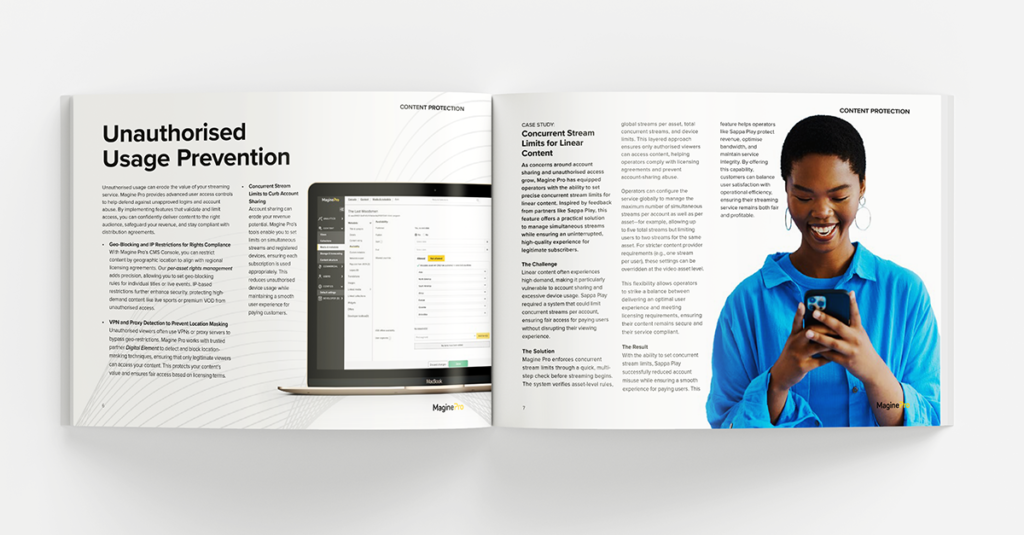
DOWNLOAD NOW
Keep Your OTT Service Secure & Profitable
OTT security doesn’t have to be complicated. With the right approach, you can safeguard your content while maintaining a great user experience.
Download the FREE e-guide now and take the next step in protecting your platform.
Want to know more?
If you’d like to learn more about how Magine Pro helps OTT services stay secure while delivering high-quality streaming, our team is here to help. Whether you have specific security concerns or want to explore how our platform can support your growth, reach out today.
You can also visit our Experience Page to see how our customers are using Magine Pro to power their streaming services securely and efficiently.
To stay up-to-date with the latest industry insights, platform updates, and security best practices, be sure to subscribe to the Magine Pro e-newsletter.
Inside Magine Pro’s UX/UI Approach: A Conversation with Head of Product & Platform, Fabienne Antonin
Crafting an exceptional user experience (UX) and user interface (UI) is essential for streaming services aiming to captivate audiences and build lasting subscriber loyalty. At Magine Pro, our Head of Product & Platform, Fabienne Antonin, is at the forefront of our UX/UI innovations. In a recent Q&A featured in our e-guide, Behind the Screens: Crafting Immersive UX/UI for Streaming Services, Fabienne shares insights into our data-driven design process, strategic decision-making, and the unique challenges of creating engaging customisable interfaces. These solutions empower our customers to deliver seamless, brand-aligned experiences tailored to their content and audience needs.
Meet Fabienne Antonin, Magine Pro’s Head of Product & Platform
 Fabienne joined Magine Pro four years ago, bringing a wealth of expertise in UX/UI and digital media to lead our team in creating user experiences that truly resonate with our customers’ viewers. Before joining Magine Pro, she held key roles at Bonnier Broadcasting (now part of Telia), where she headed product development for C More and TV4’s OTT services. Her impressive career also includes working with major brands like Disney, Paramount, IKEA, and Fortum, making her a leader in crafting engaging and intuitive digital experiences.
Here’s a sneak peek at some of her insights:
A Data-Driven Design Process That Puts Users First
Fabienne emphasises the importance of a data-driven approach to UX/UI design. “We initiate by aggregating critical metrics from multiple touchpoints,” she explains. This includes user engagement data, competitive analysis, and key business metrics. As she notes, “This process lets us adapt and respond to actual user needs, enhancing the experience at every touchpoint.”
Achieving Cross-Platform Consistency
Maintaining consistency across various platforms is a key part of Magine Pro’s UX/UI strategy. Fabienne highlights the role of a robust roadmap and cross-functional collaboration, which ensure smooth feature rollouts across web, mobile, and smart TV platforms. This approach means users can enjoy a cohesive experience across any device.
Tackling the Challenges in OTT Design
Keeping users engaged amidst fierce competition can be tough. Fabienne discusses the unique demands of B2B2C OTT design, where customisation and market-specific requirements are critical. However, user retention remains the biggest challenge, often tied to the availability of fresh content. Fabienne explains that fresh content, intuitive navigation, and tools like customised promotional offers all play vital roles in maintaining interest and loyalty. “Every content release is a chance to re-engage audiences,” she shares.
______________________________________________________________________________________
If you’re interested in exploring Magine Pro’s design philosophy further, download Behind the Screens. Fabienne’s full Q&A offers valuable tips on creating a captivating OTT experience, with additional insights on engaging users, encouraging exploration, and building long-term loyalty.
For a personalised demo of our platform’s UX/UI capabilities or to explore how we can help, book a meeting with the Magine Pro team today.
The Secret to Crafting an Engaging UX/UI for Streaming Services
A standout user experience (UX) isn’t just nice-to-have—it’s a necessity. With countless streaming platforms competing for viewers’ attention, having a seamless, content-focused user interface (UI) can turn occasional viewers into loyal subscribers. At Magine Pro, we understand that crafting an engaging UX/UI is essential for improving user satisfaction and retention rates.
Introducing Our Expert E-Guide: Behind the Screens
In our latest e-guide, Behind the Screens: Crafting Immersive UX/UI for Streaming Services, we provide operators with essential insights needed to create a cohesive and engaging UX/UI. Drawing from our years of consumer market experience and expertise as a leading OTT platform provider, we have distilled proven strategies that elevate the viewing experience.

What You Will Discover
Packed with insights, this guide covers:
- Intuitive Navigation and Content Discovery: Learn proven strategies that keep users engaged and enhance satisfaction.
- Responsive Design Practices: Discover how to ensure seamless user experiences across all devices, fostering brand loyalty.
- Tools and Techniques for Viewer Engagement: Implement practical methods to maximize user retention and drive revenue growth.
- Expert Insights: Gain exclusive knowledge from our Head of Product & Platform, Fabienne Antonin, in a detailed Q&A.
and much more…
These strategies have already enabled Magine Pro clients to achieve increased engagement and subscriber loyalty, and our guide shares the exact tactics you can apply to your own platform.
Explore Our Experience
To see how our solutions can be tailored to meet specific content and audience needs, explore our customer case studies. These examples highlight how other operators have successfully customised their services using our intuitive CMS, and showcase the impact a well-designed UX/UI can have on viewer engagement and retention.
Ready to Elevate Your Streaming Service’s UX/UI?
Don’t miss out on the opportunity to captivate your audience and boost retention rates. Download Behind the Screens: Crafting Immersive UX/UI for Streaming Services now to discover how to transform your streaming platform. For a personalised demo of our platform’s UX/UI capabilities or to explore how we can help, book a meeting with the Magine Pro team today.
Frightful Growth: How Splatter Uses Magine Pro’s Tools to Dominate Halloween Streaming
This Halloween season, as horror fans hunt for thrills, Splatter—the horror-themed SVOD service powered by Magine Pro—is ready to deliver. By utilising the powerful tools available in Magine Pro’s CMS console, Splatter has crafted a strategic campaign that not only delights horror aficionados but also maximises their reach and user retention.
Splatter’s Halloween Campaign
This year, Splatter is offering a special limited-time deal: 50% off for two months for new, returning, and ongoing subscribers. This offer is made possible using customisable promo codes created within the Magine Pro Console. These promo codes aren’t just about slashing prices—they’re a powerful marketing tool, designed to boost subscriber numbers during a peak time for horror content.
Splatter is also sharing a viral promo code URL via email communications as part of a win-back campaign, strategically targeting former subscribers who might want to return to get their fright fix this Halloween.
Crafting and Deploying Promo Codes with Ease
Thanks to Magine Pro’s intuitive CMS (Content Management System), Splatter can generate promo codes tailored to their specific marketing needs—whether for social media campaigns, targeted email blasts, or promotions through horror influencers. These promo codes are fully customisable, giving Splatter the flexibility to fine-tune the conditions of each promotion and adapt them based on audience response.
Tracking the success of these codes is simple. The Magine Pro Console provides real-time analytics, allowing Splatter to monitor how well its Halloween campaign is performing. They can track which promo codes generate the most sign-ups, identify spikes in subscriber growth around marketing activities, and optimise campaigns accordingly.
Find more information about Magine Pro’s promo code capabilities here, including how customers can independently create and implement them within the CMS.
Scaling for Success Beyond Halloween
While Halloween is a significant event for Splatter, the tools within the Magine Pro CMS enable them to sustain their momentum all year. The flexibility and advanced features of the platform allow Splatter to continuously create targeted campaigns, use promo codes, and offer exclusive content—even after the last pumpkin has been carved.
Magine Pro empowers operators like Splatter to focus on what they do best: delivering killer content to passionate audiences. We ensure that our customers have a service that stands out in a competitive market, drives subscriber growth, and keeps fans coming back for more.
To learn more about Splatter, check out the case study here. You can also hear directly from Splatter founder Olle in this insightful Q&A here.
Interested in how Magine Pro can power your OTT platform? Get in touch for more details or to request a demo.